
Download Intellyverse – AI‑Powered Productivity Platform, Free & Secure
Intellyverse Overview: AI‑Driven Productivity Simplified
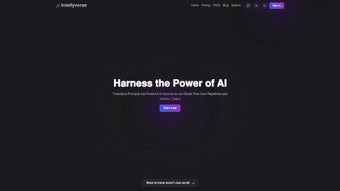
Intellyverse is a web‑based AI productivity platform that puts powerful automation at the fingertips of anyone who works with digital tasks. Built around a conversational chat interface, the service lets users design custom AI assistants without writing complex prompts or code. By defining the task, the execution method, and the desired output format, you create a reusable “assistant” that can handle anything from drafting emails and summarizing reports to generating design mock‑ups or running data‑analysis scripts. The platform’s marketplace encourages collaboration: you can share your assistants, clone those created by others, and search a growing library by name or category. A free tier offers limited but functional access, while paid subscriptions unlock premium assistants, higher usage limits, and priority support. Intellyverse eliminates the steep learning curve traditionally associated with AI tools, making advanced automation accessible to freelancers, small teams, and enterprise users alike.
Key Features That Set Intellyverse Apart
- Custom AI Assistants: Build personal assistants by specifying tasks, execution steps, and output formats through an intuitive form.
- Chat‑Based Interaction: Communicate with assistants using natural language; the platform translates your request into the defined workflow.
- Assistant Marketplace: Browse, clone, and share assistants created by the community, fostering a collaborative ecosystem.
- Saved Chats & Prompts: Automatically store conversation histories for future reference and quick re‑use.
- Advanced Tool Integration: Leverage built‑in utilities (e.g., spreadsheet calculators, code runners, image generators) for complex multi‑step tasks.
- Search & Filter: Find assistants by name, category, or tags, speeding up the discovery of the right tool for any job.
- Multi‑Plan Subscription Model: Choose a free plan for light use or upgrade to Pro/Team plans for higher limits, team collaboration, and priority support.
- Secure Cloud Architecture: All data is encrypted in transit and at rest, with GDPR‑compliant privacy controls.
- Zero Prompt Engineering: Users never need to craft intricate prompts; the platform handles translation from plain language to actionable AI commands.
- Cross‑Device Access: Since it’s web‑based, Intellyverse works on any modern browser, ensuring you can stay productive from Windows, macOS, Linux, Android, or iOS devices.
Installation, Usage Guide & Compatibility
Getting Started in Minutes
Because Intellyverse is entirely cloud‑hosted, there is no traditional download or installation process. To begin, visit the official website, click the Sign Up button, and create an account using your email or a single‑sign‑on option such as Google or Microsoft. After confirming your email, you are immediately directed to the dashboard where the chat interface awaits.
For users who prefer a desktop‑like experience, Intellyverse offers progressive web app (PWA) support. Simply click the “Add to Home Screen” prompt in Chrome, Edge, or Safari, and the platform will behave like a native app, complete with offline caching of your most recent chats (though AI processing still requires an internet connection).
Step‑by‑Step Assistant Creation
- Define the Goal: Choose a descriptive name and outline the primary objective (e.g., “Weekly Report Summarizer”).
- Select Execution Method: Pick from pre‑built modules such as “Text Extraction,” “Data Aggregation,” or “Design Generation.”
- Set Output Format: Decide whether the assistant should return plain text, markdown, JSON, or a downloadable file.
- Save & Test: Store the assistant in your library and run a quick test by typing a natural‑language command in the chat window.
- Publish (Optional): If you think others could benefit, toggle the “Share” switch to add it to the public marketplace.
Operating System Compatibility
Intellyverse is platform‑agnostic. It runs on any device with a modern web browser that supports HTML5 and WebGL, including:
- Windows 10/11 (Edge, Chrome, Firefox)
- macOS Monterey and later (Safari, Chrome, Firefox)
- Linux distributions with recent browsers (Ubuntu, Fedora, etc.)
- Android 8.0+ (Chrome, Firefox, or the PWA shortcut)
- iOS 13+ (Safari or the PWA shortcut)
The responsive design adapts to various screen sizes, ensuring a consistent experience whether you are on a desktop monitor or a handheld phone. Because all processing occurs in the cloud, your device’s hardware specifications have minimal impact on performance—only a stable internet connection is required.
Pros, Cons, Frequently Asked Questions & Expert Review
Pros
- Intuitive chat‑based interface reduces learning curve.
- Customizable assistants eliminate repetitive manual work.
- Community marketplace accelerates discovery of ready‑made solutions.
- Free tier available for individuals and small teams.
- Secure, GDPR‑compliant data handling.
- Cross‑platform access via any modern browser.
Cons
- Heavy reliance on internet connectivity; offline functionality is limited.
- Advanced assistant configurations may still require basic logical thinking.
- Free plan imposes usage caps that can be restrictive for power users.
- Enterprise‑level admin controls are currently in beta.
- Pricing for premium plans is subscription‑based, which may not suit one‑time‑project budgets.
Frequently Asked Questions
Is there a truly free version of Intellyverse?
Yes. The free tier provides access to core assistant creation, up to five saved assistants, and a limited number of monthly AI calls. It’s perfect for freelancers or students who need occasional automation.
Can I cancel my subscription at any time?
Absolutely. Subscriptions are month‑to‑month, and you can cancel through the account settings dashboard. Cancellation takes effect at the end of the current billing cycle, and you retain access to any assistants you created during the paid period.
How does Intellyverse protect my data?
All data is encrypted with TLS 1.3 during transmission and stored using AES‑256 encryption at rest. The platform adheres to GDPR and CCPA guidelines, giving you full control over data deletion requests.
Can I integrate third‑party APIs into my assistants?
Yes. Intellyverse includes a “Custom API” module where you can supply endpoint URLs, authentication tokens, and request payloads. The assistant will handle the call and incorporate the response into its output.
Is there a mobile app for iOS or Android?
While there is no native app yet, the platform’s responsive design works flawlessly on mobile browsers. You can also install it as a Progressive Web App (PWA) for an app‑like experience on both iOS and Android.
Expert Review
Rating: ★★★★☆ (4.3/5)
Intellyverse shines as a bridge between casual users and powerful AI automation. Its chat‑first design democratizes assistant creation, and the marketplace fosters a vibrant community of innovators. The only notable drawbacks are the internet‑dependency and the modest limits on the free tier. Overall, for anyone seeking a secure, cross‑platform AI productivity hub, Intellyverse delivers impressive value.
Conclusion & Call to Action
If you’re looking to streamline repetitive workflows, generate content on demand, or collaborate with a growing community of AI‑savvy creators, Intellyverse is a compelling choice. The free plan lets you test the core features without commitment, while the Pro and Team subscriptions scale effortlessly as your needs grow. Start your free account today, build your first assistant in minutes, and experience how conversational AI can transform your daily productivity.



.png)



